Making a Next.js Blog Support AMP and PWA
TL;DR
When it comes to PWA support for Next.js, next-offline and next-pwa are well-known options. However, caching AMP pages is not supported by default in these packages, so you need to handle it yourself (related issue). I spent a lot of time trying various things with these two packages and could never get PWA working, so if you're trying to support both AMP and PWA simultaneously, be careful.
That said, most of the work is just copying from example/amp-first...
Preparing the public Folder
manifest.json
First, prepare a manifest.json. You can create it however you like, but the following are required (reference). Since preparing icons is tedious, I used PWA manifest generator.
start_urlnameorshortnameicons(192 - 512 px)display
Also, the icons need to be maskable, so after converting them with Maskable.app Editor, add "purpose": "any maskable" to the icon properties.
Here's what this site's manifest.json looks like:
manifest.json
apple touch icon
It's faster to check here, but add the following to the header of the page you want to make PWA-compatible:
The icon size needs to be 192x192 or 180x180.
serviceworker.js
Copy examples/amp-first/public/serviceworker.js and place it in public. It's basically amp-sw.
serviceworker.js
Registering the Service Worker
Copy examples/amp-first/public/install-serviceworker.html and place it in public.
install-serviceworker.html
Installing the Service Worker on PWA-Compatible Pages
In AMP, service worker installation can be done with amp-install-serviceworker.
Add the following to the body of the component you want to make PWA-compatible:
Creating the Offline Page
I don't fully understand this yet and may look into it later, but the amp-first example includes an offline page. Let's just copy and place it. It's probably for the service worker's offlinePageOption.
offline.js
Results
With the above, PWA support is complete. Here's the Lighthouse performance for this site's top page as of 2020/09/30:
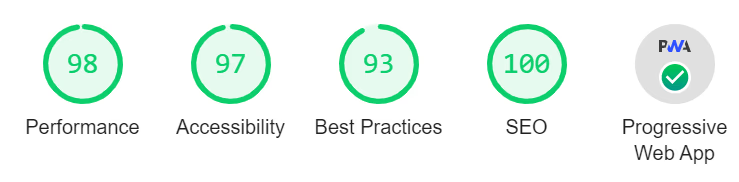
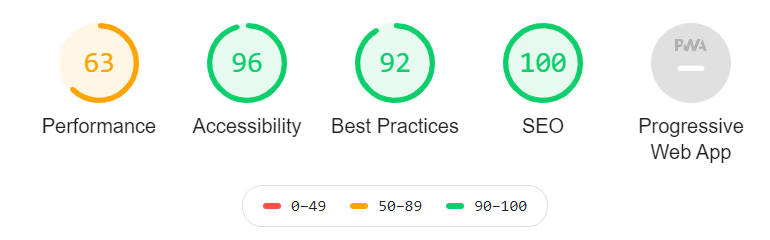
For comparison, here's what it looked like during the WordPress era, so you can see significant improvement. Getting all 100s is tough...